Introduction
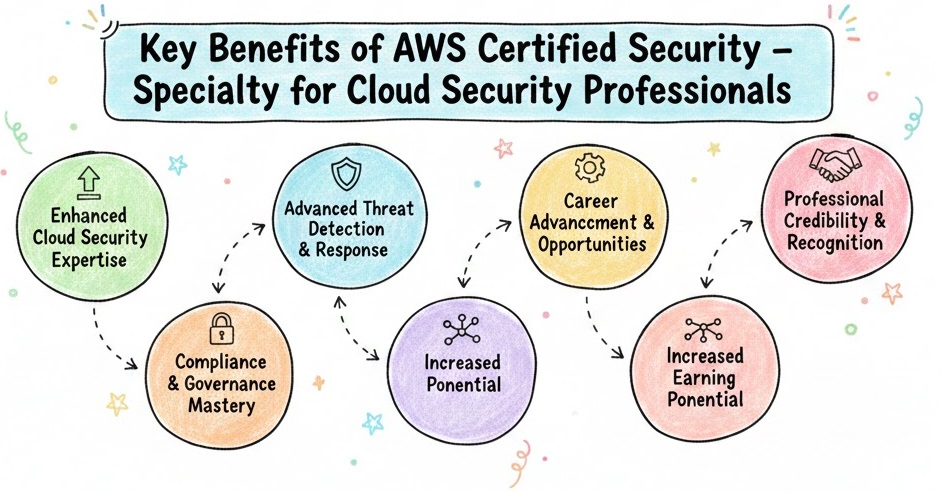
The AWS Certified Security – Specialty certification is designed for professionals who are looking to validate their expertise in securing data and workloads within the AWS cloud environment. This certification demonstrates your ability to secure cloud-based applications, systems, and infrastructure using AWS security services.AWS has designed this certification specifically to address the growing demand for specialized cloud security knowledge, considering that cloud infrastructure is becoming the backbone of many businesses. The exam ensures that individuals have a deep understanding of cloud security in AWS environments, such as managing data protection, threat detection, identity and access management (IAM), security monitoring, and incident response.This certification is highly valuable for professionals working in industries where data privacy and security are paramount. It helps you enhance your credentials and showcases your expertise in securing AWS infrastructures against modern cyber threats.
Who Should Take It?
The AWS Certified Security – Specialty is intended for professionals who are already working with AWS services and have an interest in advancing their cloud security skills. If you fit any of the following roles, this certification is ideal for you:
- Cloud Security Engineers: Professionals who are responsible for implementing security controls and ensuring compliance within an AWS environment.
- Solutions Architects: Architects who design secure and scalable systems on AWS.
- SysOps Administrators: System administrators responsible for managing and securing cloud infrastructure on AWS.
- Security Engineers: Engineers who focus on securing AWS environments and handling security operations.
- IT professionals with hands-on AWS experience looking to specialize in AWS security.
To make the most of the certification, you should already have practical experience with AWS and security concepts. If you are new to AWS, it’s advisable to first complete foundational certifications such as AWS Certified Solutions Architect – Associate.
Skills You’ll Gain
After completing the AWS Certified Security – Specialty, you will develop a deep understanding of several key areas:
- Cloud Security Architecture: Learn how to design secure architectures and infrastructures within AWS. This includes configuring services like Amazon VPC, IAM, KMS, and more.
- Identity and Access Management (IAM): Gain expertise in managing users, groups, roles, and permissions using AWS IAM, ensuring secure access control to your AWS resources.
- Data Protection: Understand data encryption, tokenization, and key management techniques using AWS KMS, ensuring data privacy and protection.
- Security Monitoring and Incident Response: Learn how to use AWS security services like CloudTrail, GuardDuty, and AWS Security Hub for proactive monitoring and responding to incidents.
- Compliance and Governance: Understand security frameworks and compliance regulations like GDPR, HIPAA, and PCI-DSS, and how AWS helps organizations meet these requirements.
- Threat Detection: Master AWS services such as AWS Shield and AWS WAF for protecting against threats like DDoS attacks and malicious traffic.
- Automation: Automate security tasks and processes within your AWS environment using CloudFormation and other AWS tools.
Real-World Projects You Should Be Able to Do After It
Once you’ve completed the certification, you should be able to tackle real-world security challenges within AWS environments, such as:
- Building a Secure AWS Architecture: Design and deploy secure cloud applications using AWS services, ensuring they are resilient against attacks.
- Incident Response in AWS: Use tools like AWS CloudTrail and AWS GuardDuty to monitor, detect, and respond to security incidents in real-time.
- Compliance Audits: Perform security audits and ensure that AWS resources comply with industry-specific regulations and standards.
- Data Protection: Set up encryption and access control mechanisms across various AWS services to ensure data privacy.
- Risk Mitigation: Identify potential vulnerabilities and take proactive steps to address risks before they become security incidents.
Preparation Plan
The AWS Certified Security – Specialty certification exam requires thorough preparation. Here’s how you can structure your study plan based on how much time you have available:
7-14 Days Preparation Plan (Intensive)
- Day 1-3: Start with AWS fundamentals. Familiarize yourself with core security services like AWS IAM, VPC, and KMS.
- Day 4-7: Dive deeper into threat detection tools like AWS GuardDuty, AWS Security Hub, and AWS CloudTrail.
- Day 8-10: Learn about data protection mechanisms and secure storage using S3, EBS, and RDS encryption.
- Day 11-13: Focus on security incident response strategies, including logging, monitoring, and automated remediation.
- Day 14: Take practice exams and review your weakest areas.
30 Days Preparation Plan (Moderate Pace)
- Week 1: Understand IAM, VPC, and other security best practices within AWS.
- Week 2: Dive deeper into compliance standards and data protection services like KMS.
- Week 3: Learn how to detect, prevent, and respond to security incidents in AWS using various monitoring services.
- Week 4: Focus on completing hands-on labs and reinforcing your knowledge with practice exams.
60 Days Preparation Plan (Comprehensive)
- Week 1-2: Begin by reviewing the basic AWS services and the AWS shared responsibility model.
- Week 3-4: Focus on understanding core security services and tools for threat detection and incident response.
- Week 5-6: Complete hands-on labs, participate in community discussions, and refine your knowledge by revisiting weak areas.
Common Mistakes
Here are a few common mistakes that candidates often make while preparing for the AWS Certified Security – Specialty exam:
- Ignoring Hands-on Practice: AWS is a practical platform, so hands-on experience is crucial. Avoid focusing only on theoretical concepts.
- Skipping AWS Whitepapers: AWS releases security-related whitepapers that provide best practices. Ignoring these papers could cause gaps in your knowledge.
- Overlooking IAM: IAM is a fundamental part of cloud security. Neglecting IAM will impact your understanding of access control and permissions in AWS.
- Not Reviewing Exam Objectives: AWS provides a detailed list of exam objectives. Failing to review these may result in missing critical topics.
Best Next Certification After This
After completing the AWS Certified Security – Specialty certification, consider pursuing one of the following:
- Same Track: AWS Certified Solutions Architect – Professional
- Cross-Track: AWS Certified DevOps Engineer – Professional
- Leadership: AWS Certified Cloud Practitioner (for broader cloud management)
These certifications will help you deepen your expertise and continue building your cloud security career.
Choose Your Path
As cloud technologies evolve, different career paths are emerging. Here are six paths you can choose to continue your learning after AWS Certified Security – Specialty:
- DevOps: If you are passionate about automating the software delivery process while ensuring security, DevOps is your path.
- DevSecOps: Integrating security throughout the software development lifecycle, this path focuses on building security directly into the CI/CD pipeline.
- SRE (Site Reliability Engineering): If you’re more focused on maintaining high availability and reliability in cloud environments, SRE is your path.
- AIOps/MLOps: This path merges artificial intelligence and machine learning into cloud operations, enabling automated threat detection and response.
- DataOps: DataOps focuses on securing and automating data pipelines while ensuring data integrity and security in the cloud.
- FinOps: FinOps focuses on optimizing the financial aspects of cloud infrastructure while maintaining cost-effective security measures.
Role → Recommended Certifications
| Role | Recommended Certifications |
|---|---|
| DevOps Engineer | – AWS Certified Security – Specialty – AWS Certified DevOps Engineer – Professional |
| SRE (Site Reliability Engineer) | – AWS Certified Security – Specialty – Google Professional Cloud Security Engineer |
| Platform Engineer | – AWS Certified Security – Specialty – AWS Certified Solutions Architect – Professional |
| Cloud Engineer | – AWS Certified Security – Specialty – AWS Certified Solutions Architect – Associate |
| Security Engineer | – AWS Certified Security – Specialty – Certified Information Systems Security Professional (CISSP) |
| Data Engineer | – AWS Certified Security – Specialty – Google Professional Data Engineer |
| FinOps Practitioner | – AWS Certified Security – Specialty – AWS Certified Solutions Architect – Associate |
| Engineering Manager | – AWS Certified Security – Specialty – Certified Kubernetes Administrator (CKA) |
Comparison Table
| Certification | Best For | Level | Prerequisites | Skills Covered | Recommended Order | Public Rating |
|---|---|---|---|---|---|---|
| AWS Certified Security – Specialty | Cloud Security Engineers, Security Professionals | Specialty | AWS Certified Solutions Architect – Associate or equivalent experience | Cloud Security Architecture, IAM, Data Protection, Incident Response, Compliance, Threat Detection, Risk Management, Security Automation | AWS Certified Solutions Architect – Associate, AWS Certified DevOps Engineer – Professional | 4.7/5 |
| AWS Certified Solutions Architect – Associate | Cloud Architects, Engineers | Associate | None (recommended knowledge of AWS) | Designing secure and scalable applications on AWS, managing deployments, cost optimization, and cloud best practices | AWS Certified Solutions Architect – Professional | 4.8/5 |
| Certified Information Systems Security Professional (CISSP) | Security Engineers, IT Auditors | Expert | 5 years of work experience in security | Governance, Risk Management, Asset Security, Security Architecture, Engineering, Operations, Communication & Network Security, and more | AWS Certified Security – Specialty (for Cloud Security professionals) | 4.6/5 |
| Certified Cloud Security Professional (CCSP) | Cloud Security Professionals, IT Security Managers | Expert | 5 years of IT experience, 3 years in cloud security | Cloud security governance, compliance, risk management, cloud architecture, and incident response | AWS Certified Security – Specialty (for a focus on AWS) | 4.5/5 |
| Google Professional Cloud Security Engineer | Cloud Security Engineers, SREs | Professional | Google Cloud knowledge or equivalent experience | Securing Google Cloud environments, Identity & Access Management, threat detection, incident response, and cloud infrastructure security | AWS Certified Security – Specialty (for cross-cloud professionals) | 4.6/5 |
Top Institutions Offering Training for AWS Certified Security – Specialty
Below are some of the most recognized training providers that offer structured guidance, hands‑on labs, practice assessments, and mentorship tailored for the AWS Certified Security – Specialty exam:
1. DevOpsSchool
DevOpsSchool is one of the leading global training providers for AWS and cloud/security certifications. Their AWS Certified Security – Specialty course focuses on real‑world scenarios and hands‑on labs. Trainers are experienced professionals with deep cloud security expertise. They also offer mock tests, exam strategy sessions, and guidance on job readiness, making it a solid option if you want structured learning and practice.
2. Cotocus
Cotocus offers flexible AWS training programs that cover both fundamentals and advanced cloud security concepts. Their AWS Security track places emphasis on security best practices, compliance requirements, IAM policies, and incident response workflows. Classes are designed for working professionals, often including evening/weekend batches, practical labs, and doubt‑clearing sessions.
3. ScmGalaxy
ScmGalaxy is known for its instructor‑led training that combines theory with hands‑on practice. Their AWS Certified Security – Specialty preparation includes deep dives into AWS security services like KMS, GuardDuty, Security Hub, WAF, Shield, CloudTrail, and CloudWatch. They also help with career mentoring and resume guidance for cloud security roles.
4. BestDevOps
BestDevOps specializes in DevOps and cloud security training. Their AWS Security certification course emphasizes learning through project work, real case studies, and practice tests that reflect actual exam patterns. Training covers architectural design for secure AWS environments, data encryption, monitoring, and threat mitigation.
5. DevSecOpsSchool
DevSecOpsSchool blends security fundamentals with cloud‑native security practices. Their curriculum strengthens not only AWS Security concepts but also broader DevSecOps principles — making it especially useful if you are embedding security into continuous delivery pipelines or automated workflows.
6. SRESchool
SRESchool focuses on Site Reliability Engineering blended with cloud security topics. Their AWS security training aligns well for SREs and platform engineers who must build resilient, secure systems. The coursework includes automated security checks, incident handling, and monitoring strategies.
7. AIOpsSchool
AIOpsSchool integrates AI/ML concepts into operations and cloud security. Their AWS security offerings emphasize automation, anomaly detection, intelligent threat processing, and predictive security workflows. This is especially valuable if you want to leverage machine‑assisted monitoring in AWS environments.
8. DataOpsSchool
DataOpsSchool trains professionals on data pipelines and secure data management in cloud platforms. Their AWS Security training ensures you understand data encryption, access controls, secure storage, governance, and compliance — critical for data engineers and analytics teams securing AWS data workflows.
9. FinOpsSchool
FinOpsSchool combines financial operations management with cloud governance and security. Their approach teaches how to optimize AWS costs while maintaining secure configurations. This is particularly useful for FinOps practitioners who must balance cloud spend with compliance and risk mitigation.
FAQs on AWS Certified Security – Specialty
- How difficult is the AWS Certified Security – Specialty exam?
The exam is challenging but achievable with the right preparation. Focus on gaining practical experience with AWS security tools and concepts. - What’s the recommended study time for this certification?
It typically takes 2-3 months to prepare, but if you already have AWS experience, you may be able to complete it faster. - Are there any prerequisites for this certification?
While there are no formal prerequisites, it’s recommended to have foundational knowledge of AWS services and cloud security concepts. - What are the most important topics to focus on for the exam?
Key topics include IAM, threat detection, data protection, incident response, and compliance. - What is the structure of the exam?
The exam consists of 65 multiple-choice and multiple-answer questions and lasts for 170 minutes. - Can I take this exam if I don’t have AWS security experience?
It’s ideal to have hands-on experience with AWS security tools and services before attempting the exam. - How much does the AWS Certified Security – Specialty exam cost?
The exam costs $300 USD, but AWS offers discounts on re-certification exams. - What career opportunities does this certification open?
You can pursue roles such as Cloud Security Engineer, Security Architect, or Compliance Specialist within organizations using AWS.
FAQs
1. How difficult is the AWS Certified Security – Specialty exam?
The exam is considered challenging and requires a deep understanding of AWS security services. It tests both theoretical knowledge and practical skills in cloud security. With proper preparation, it is definitely achievable.
2. What’s the recommended study time for the AWS Certified Security – Specialty certification?
The typical preparation time is around 2–3 months. If you have hands-on experience with AWS and security concepts, you may require less time. However, it is crucial to dedicate sufficient time to study all the key areas thoroughly.
3. Are there any prerequisites for this certification?
While there are no formal prerequisites, it is recommended that candidates have foundational knowledge of AWS services and cloud security basics. Holding an AWS Certified Solutions Architect – Associate certification or similar experience can be beneficial.
4. What are the most important topics to focus on for the exam?
Key topics include AWS IAM, encryption, monitoring and logging, incident response, data protection, and compliance standards. It’s important to understand AWS security tools like AWS Shield, AWS WAF, CloudTrail, GuardDuty, and Security Hub.
5. What is the structure of the AWS Certified Security – Specialty exam?
The exam consists of 65 multiple-choice and multiple-answer questions. You have 170 minutes to complete the exam. It focuses on practical application and real-world scenarios in securing AWS environments.
6. Can I take the exam if I don’t have AWS security experience?
It’s advisable to have hands-on experience with AWS before attempting the exam. Familiarity with AWS services and basic security practices will make your preparation more effective. Consider starting with foundational certifications like AWS Certified Solutions Architect – Associate first.
7. How much does the AWS Certified Security – Specialty exam cost?
The exam costs $300 USD. AWS also offers discounts on re-certification exams and for bundled certification packages.
8. What career benefits will I gain from this certification?
Achieving the AWS Certified Security – Specialty certification will enhance your career in cloud security. You will be qualified for roles like Cloud Security Engineer, Security Architect, and Compliance Specialist. This certification can also open doors to leadership positions in cloud security teams.
9. How do I prepare for this exam effectively?
Effective preparation involves a combination of theoretical study and practical experience. Use official AWS study materials, practice exams, and hands-on labs to build a solid understanding. Don’t forget to review AWS whitepapers and security best practices.
10. Is this certification suitable for someone already in a security-related role?
Yes, the certification is specifically designed for professionals who are already working in the security field and want to specialize in AWS. It will help you refine your expertise in securing cloud environments and managing cloud security risks.
11. What is the passing score for the AWS Certified Security – Specialty exam?
The passing score for the AWS Certified Security – Specialty exam is 750 out of 1000. While the passing score may vary slightly based on exam difficulty, 750 is the general benchmark for passing.
12. What are the best next certifications after AWS Certified Security – Specialty?
After achieving this certification, you can consider taking:
- Same Track: AWS Certified Solutions Architect – Professional for deeper architectural knowledge.
- Cross-Track: AWS Certified DevOps Engineer – Professional for roles that integrate security with DevOps.
- Leadership: AWS Certified Cloud Practitioner if you want to expand your cloud management knowledge across all AWS services.
Conclusion
The AWS Certified Security – Specialty certification is a crucial step for any IT professional seeking to specialize in cloud security within the AWS ecosystem. With an increasing demand for cloud security expertise, this certification provides a solid foundation in securing AWS infrastructures, implementing best practices, and responding effectively to incidents.The knowledge gained through this certification opens doors to various career opportunities, such as cloud security engineer, solutions architect, and compliance officer. Furthermore, the hands-on experience and practical application of AWS security tools will help you secure AWS-based workloads and data, ensuring that your organization is equipped to handle today’s ever-evolving security threats.